
By the end of 2025, about 41% of employees reported using AI tools at least a few times a week in their role. That's a lot of people! That number seems to be trending up, too, so it's clear that AI tools are here to stay.
Despite this new prominence, many AI users jump right in without understanding how AI prompts work and how to write good ones. Take some time to learn about prompts so AI tools become a helpful addition to your office instead of a shiny distraction.
What is AI?
What many of us call AI is most likely a tool based on a large language model (LLM), like ChatGPT or Google Gemini. LLMs take a set of data (usually billions of web pages and files) and use pattern recognition to generate summaries, content and more.
It's complex, but all you need to know as an AI tool user is that your high-quality input is needed for the tool to give high-quality results.
To AI or not AI? That is the question.
AI tools are for enhancing your work, not replacing it.
Use prompts for:
- Gathering lists of websites for research
- Proofreading and formatting your content
- Ideating potential content
Don't use prompts for:
- Writing content, start to finish
- Editing or summarizing content without double-checking it
- Generating important images (like banners or visuals vital to context)
Notice a pattern? The best uses of AI integrate with your own work process, whereas the worst uses take you completely out of the process.
For a good summary of AI's dos and don'ts, check out the FIU Brand Style Guide's AI Guidelines. We encourage everyone using AI tools to read the guide and learn potential ethical and accessibility issues that may result from badly implemented AI tools.
What is a prompt?
A prompt is what you type into an AI chatbot's bubble or ChatGPT's "Ask anything" box. Technically, these prompts could be any length, one word or thousands of words.
Writing a good AI prompt
The golden rule is "garbage in, garbage out." If your prompt is low-quality, your results will be low-quality. Effective AI use comes down to writing good prompts that achieve specific goals.
Set goals.
Are you writing a short summary or a long technical document? For a general audience or a team of experts? Doing quick proofreading or trying to refine a piece of writing?
Defining goals helps your AI tool figure out what its final product should look like. Otherwise, you might feed a 100-page report into the tool and end up with a five-word summary. Technically correct, but probably useless.
Log in.
Many of these AI tools have web apps that are easy and free to use without an account. However, if you plan on being a regular AI user, we suggest logging in to whatever tool you're using.
Aside from convenient benefits like maintaining prompt histories, these tools also adapt to your queries over time. If 99% of what you're prompting involves New York City, the tool will focus more on NYC-based results.
Be accurate with sources.
Try to provide examples of what good information looks like. A vague prompt could lead the AI tool to pull information from incorrect sources or worse, completely fabricated ones.
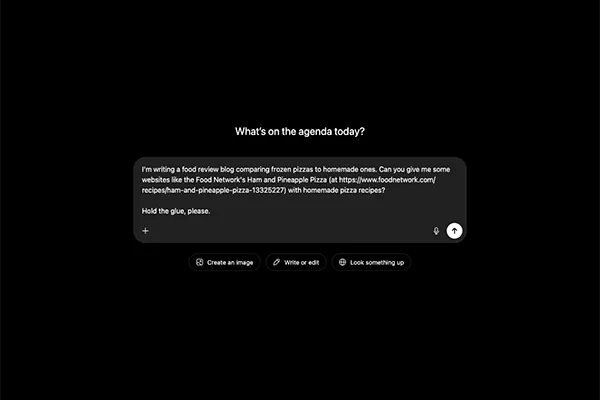
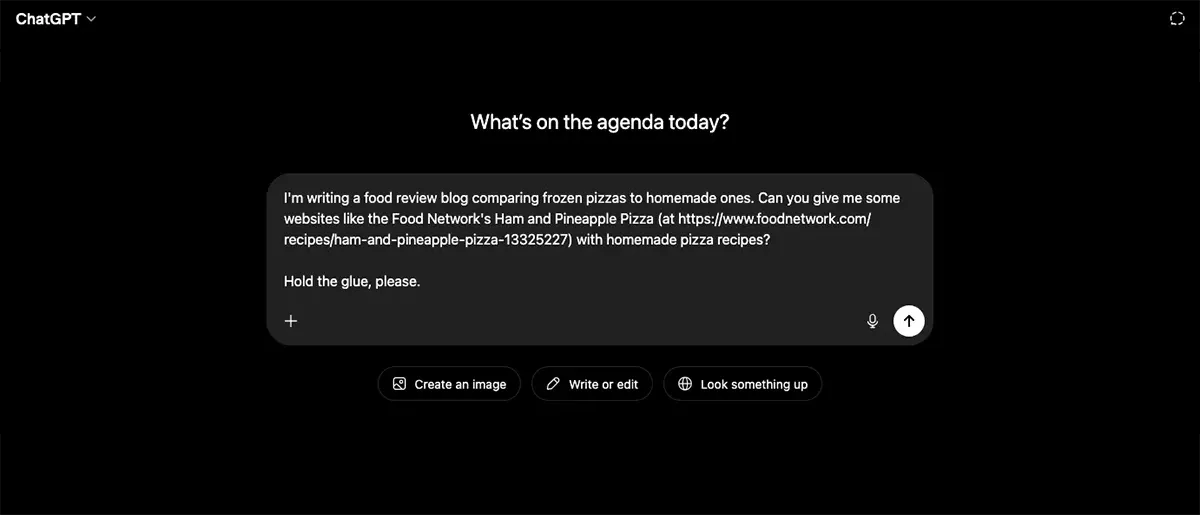
Don't just ask your AI tool how to cook a pizza and risk it suggesting adding glue as a topping. Show it what a good recipe looks like or maybe even a list of websites so your results are accurate and useful.
Be precise about what you want.
Add qualifiers to your prompt so you don't have to waste time and energy sorting through results that aren't relevant. For example, if you're researching Washington, include "focus on Washington state" if you don't want results about Washington, D.C.
Be precise about what you don't want.
Want to avoid certain results? Just tell your AI tool to avoid them.
If you want it to exclude all results about Washington, D.C., just say that in your prompt.
If you want it to proofread your work but not offer any suggestions, just say that in your prompt.
Ask follow-up questions.
Just like you have near limitless characters to work with, you have near limitless follow-up prompts to improve results, too. You may want to narrow search criteria.
If the tool is going in the wrong direction, ask it to start from scratch.
Regardless of what you need, being able to modify existing results is a major advantage AI tools have over more traditional counterparts (like Google searches).
What's next?
If you want to take a deeper dive on using AI effectively and how AI is changing user behavior, take a look at our other posts on answer engine optimization (AEO) and AI use.
You can also read helpful external posts, like Salesforce's 6 tips to write better generative AI prompts and Rutgers University's AI Prompt Writing Tips.