
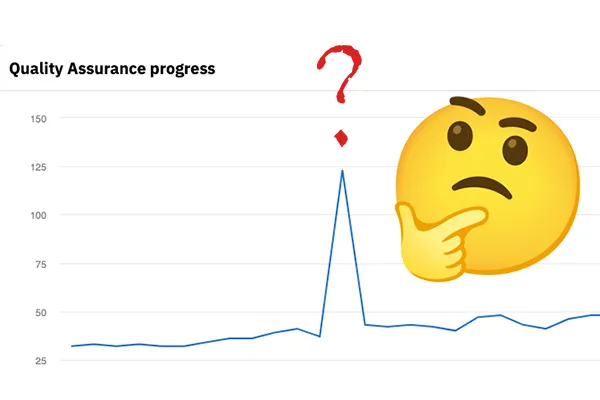
Siteimprove doesn't just identify broken links on your website. It also identifies links that might be broken.
Both types of broken links will appear on your Siteimprove Page reports, so once you're done fixing the links that are definitely broken, move on to review the ones that are potentially broken.
Confirmed vs. To review
Confirmed broken links are links that return a 404: Not found error code, meaning the page being linked is not functional or usable. This can happen because a page was moved, had its URL changed or was outright deleted.
Links to review are links that return other error codes, like 403: Forbidden or 503: Service Unavailable. These errors can happen for reasons that may not impact actual usability. For example, Siteimprove may be blocked from a website that denies access to site crawlers, or may get an error because its extensive crawl overloads a website's servers. In both cases, you (a user) may still be able to click the link and end up on a perfectly functional page.
Test links yourself!
Siteimprove is an automated tool that requires your input to be effective. In the Page report or your Broken links list, click the link to see if it's working properly and check to see if any errors you experience match what's being shown on Siteimprove.
I tested the link. Now what?
You can resolve reviewable links in two places.
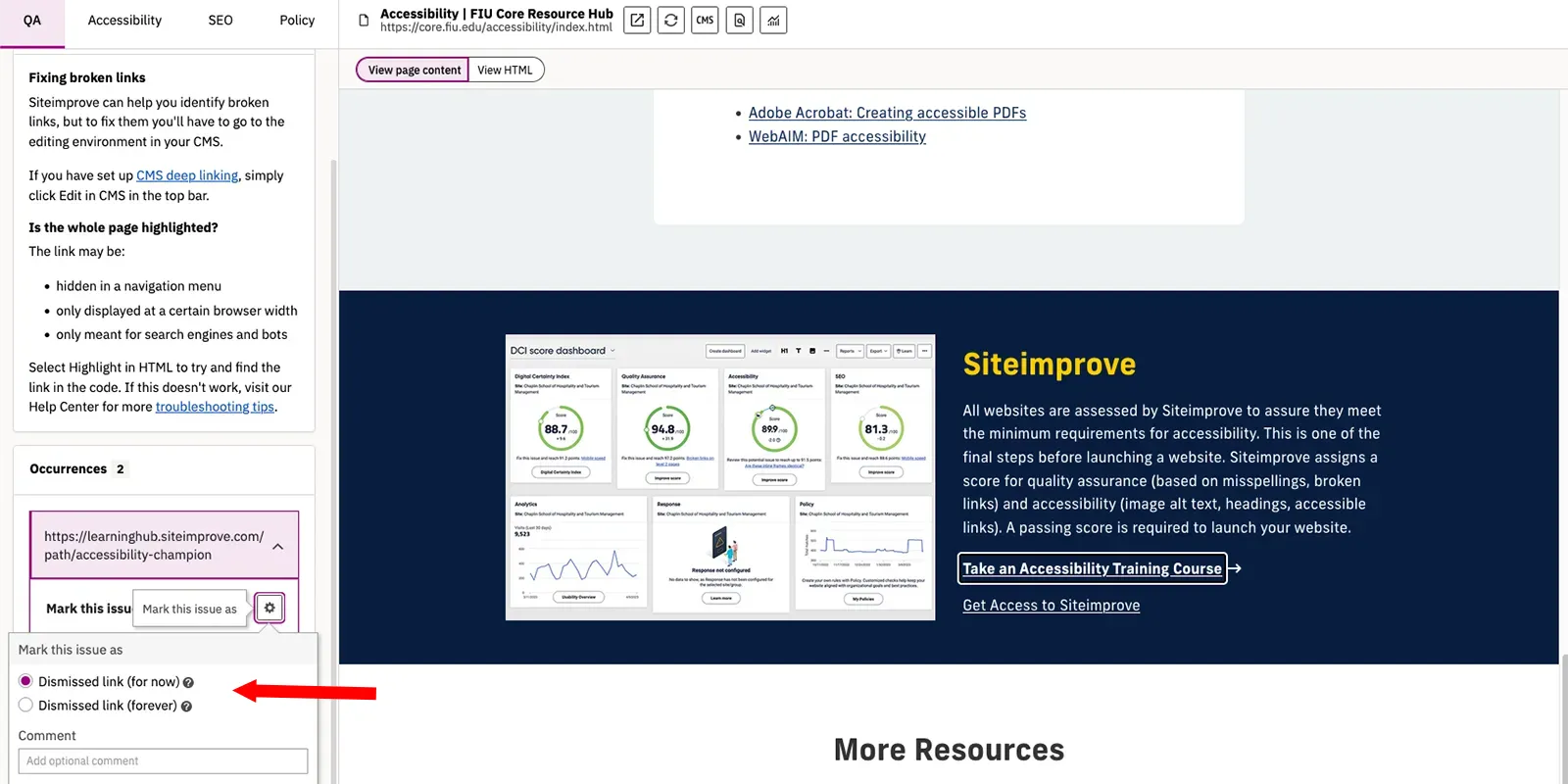
First is on the Page report itself, like you would a regular broken link.
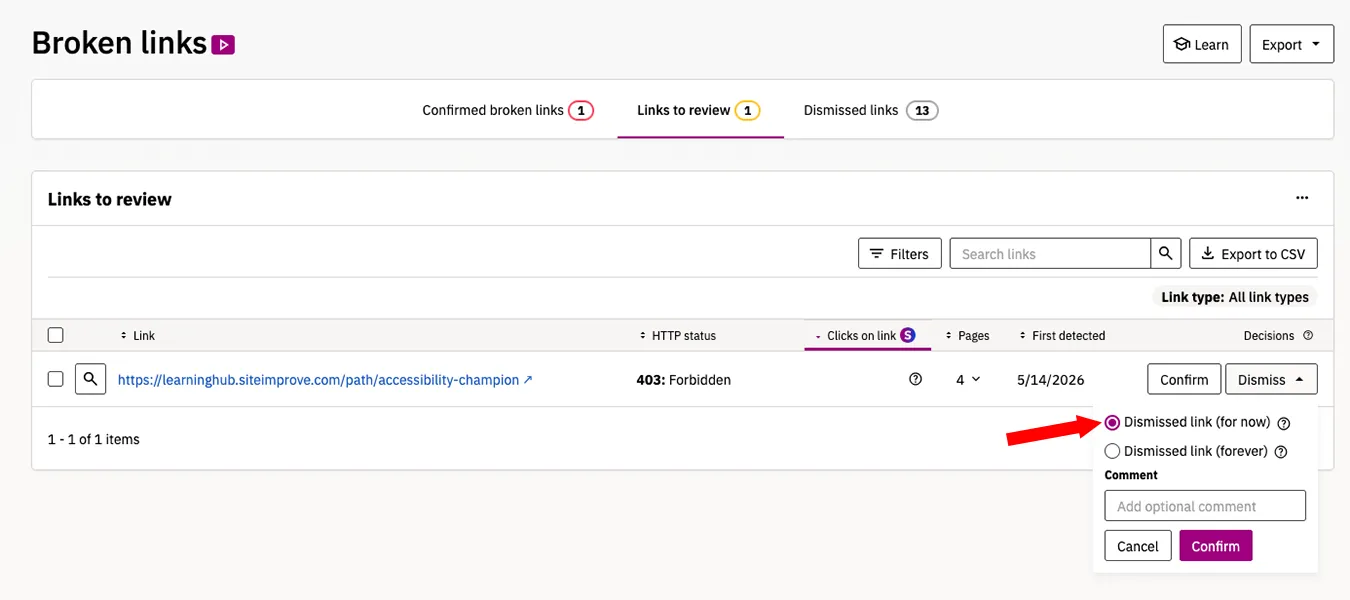
You can also address them in the Broken links list. This list is especially helpful for reviewing links that appear in many places, like the footer or navigation.
Confirm or Dismiss
If your link is actually broken, then click Confirm to add it to the Confirmed broken links list, where it can be fixed the next time you're running through the list of broken links.
If your link is not broken, then you can click Dismiss to have Siteimprove stop flagging it as a potential issue.
Make sure to select Dismissed link (for now) and not Dismissed link (forever) because dismissing forever means Siteimprove will not alert you if that error code ever becomes a 404.
What's next?
If you confirmed a broken link, the next step is to go fix your broken link like you would any other! Otherwise, the dismissed link should no longer be on your list of issues or impacting your site's QA score.
If you accidentally dismiss a link, just go to your Broken links list and click the Dismissed links tab, where you can undo any dismissals as needed.