

If you regularly check your accessibility score on Siteimprove, you may have run into a strange issue: "Heading is not descriptive."
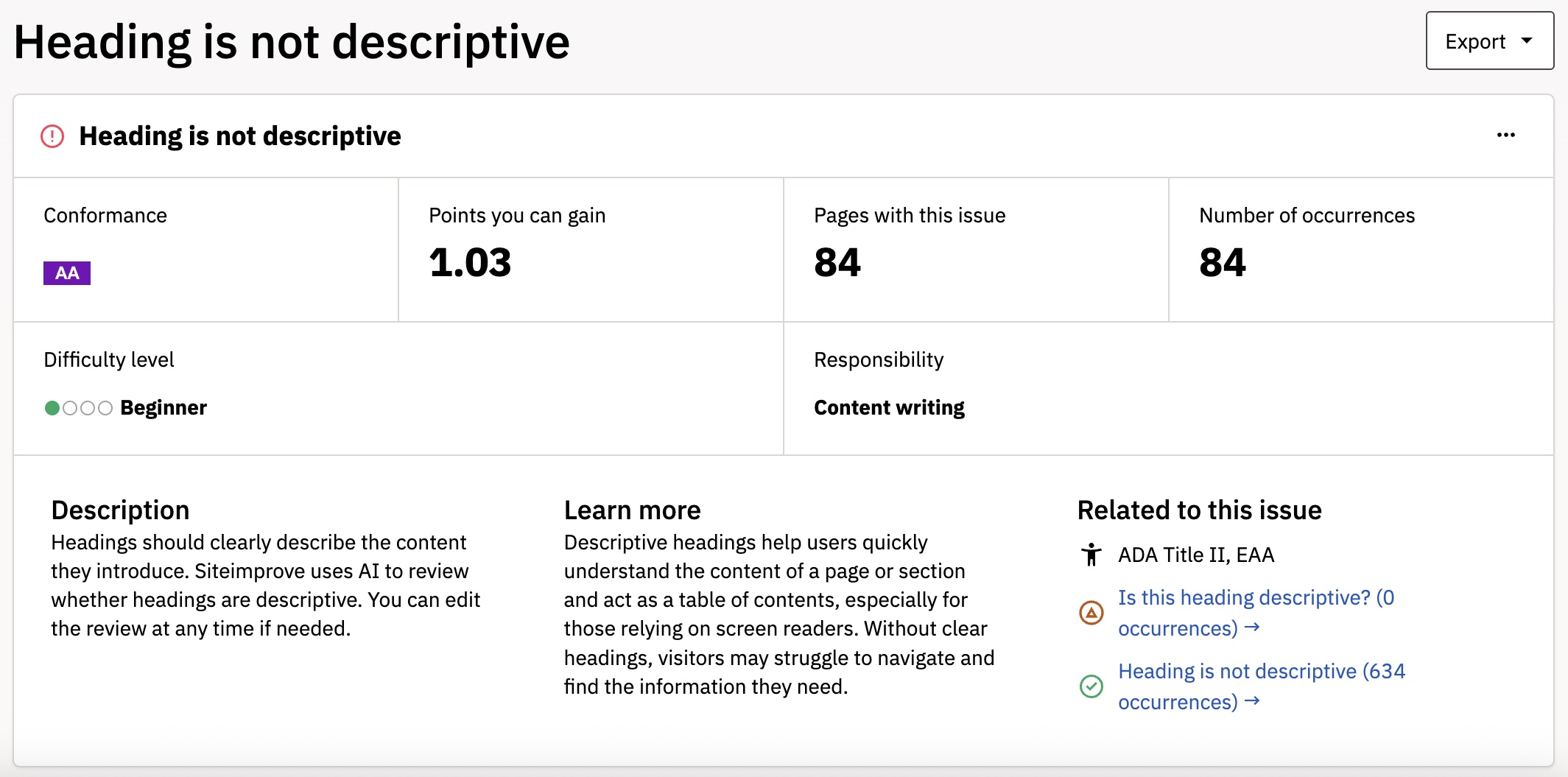
This issue typically appears when your page has a generic title that doesn't properly introduce the content on the page. Sometimes, however, dozens of pages might get flagged with this issue. It also impacts your accessibility score, so you might notice because of a sudden drop in that number.
A large number of new errors might indicate a false positive. Profile pages in particular seem to cause this error to appear in Siteimprove's reports. It's not clear why the false positive happens, but there is a straightforward solution.
Clearing false positives for this error
Siteimprove has a built-in feature to mark issues that are flagged incorrectly. When you are at the accessibility overview, click on one of the pages with the affected issue.
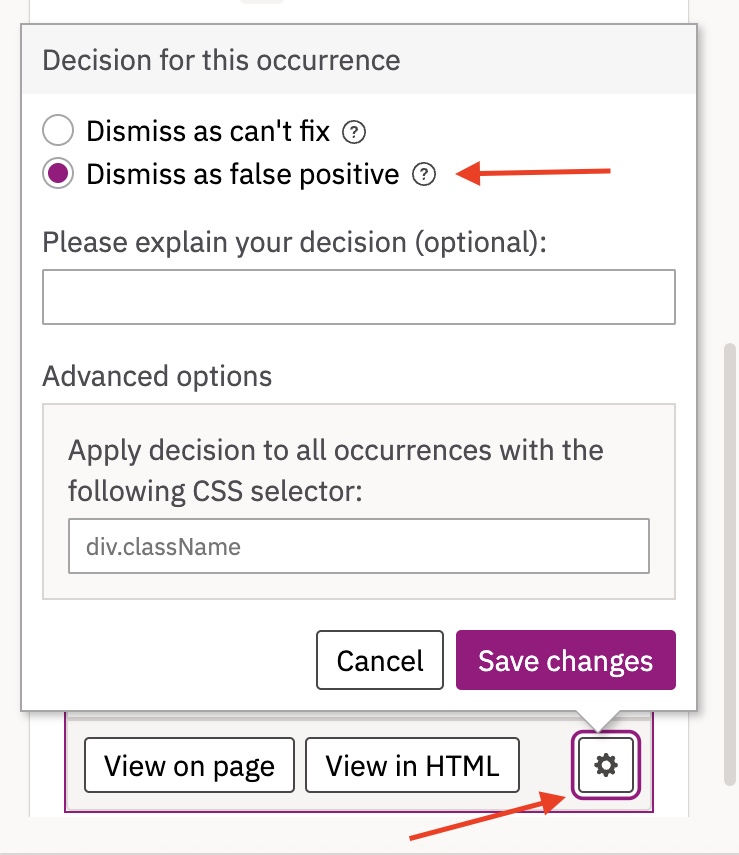
From there, you will see a box in the center right of the screen marking where the issue is on the page. On the bottom right of this box, click the gear icon. From here, you can mark the issue as a false positive by clicking Dismiss as false positive, after which Siteimprove will no longer penalize your accessibility score.
Marking multiple pages
As this erorr is affecting dozens of profile pages, it would be time-consuming to clear false positives from each page. Thankfully, Siteimprove allows you to mark multiple pages with a CSS Selector.
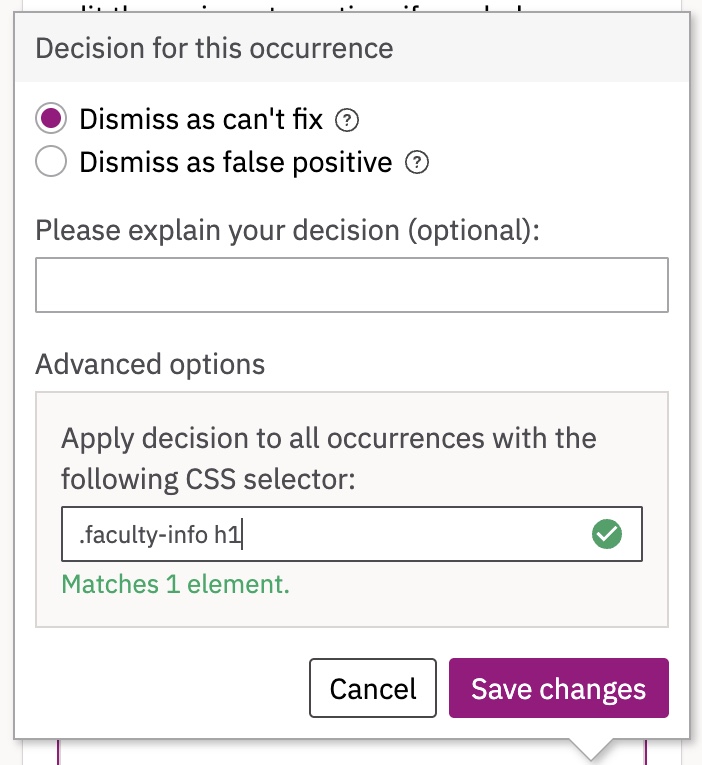
Click into the gear icon again, and you will see a section marked Advanced options. In the box below this, type .faculty-info h1. This will mark all pages affected by the same accessibility issue as a false positive. Click Save changes, and all affected pages will no longer be marked as having accessibility issues.