
It can be a challenging task to keep all your content relevant and up-to-date. But it's an essential part of good content strategy because outdated information reflects poorly on your website. It can also cause major issues down the line, like policy non-compliance or confused users. Remember, the Digital Communications Standards Policy states that websites should be reviewed each semester.
We know you don't have time to review all your content at once on a rotating basis, so we encourage you to use Cascade's built-in feature to schedule reviews. Schedule a review when you need it and as often as you need it.
How to Schedule a Review
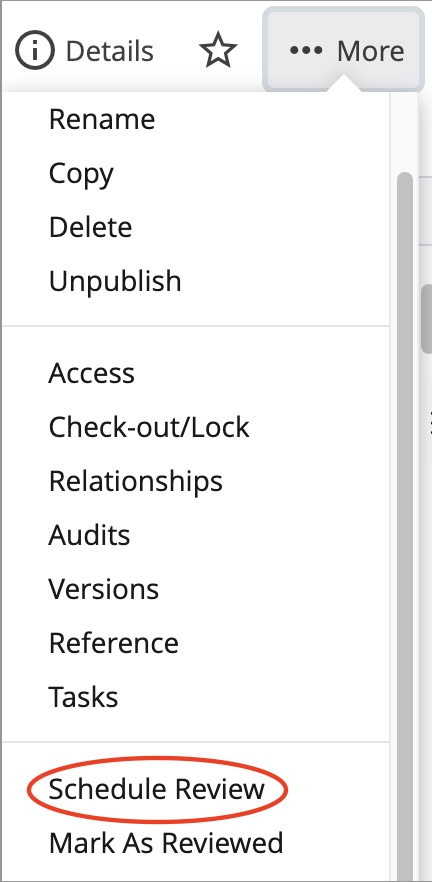
1. While viewing a page in Cascade, click the More button in the top right with three dots next to it.

2. In the dropdown menu, click Schedule Review.
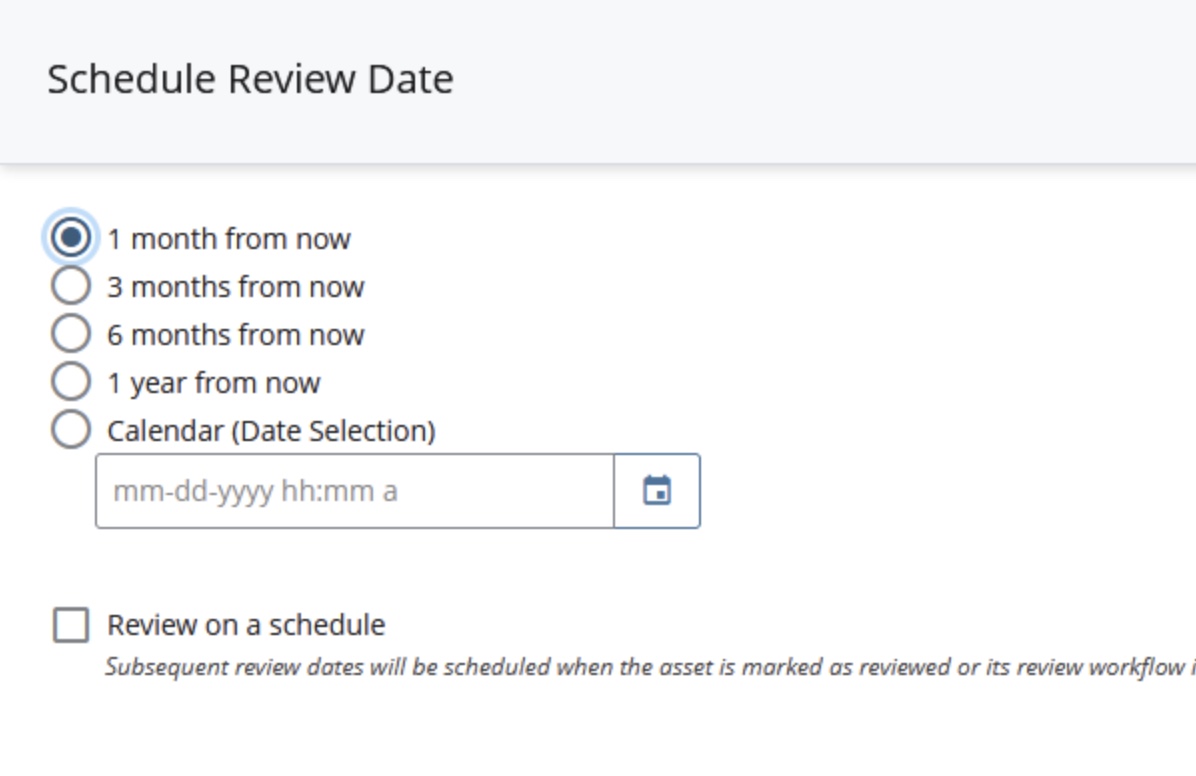
3. From here, you can schedule a review of your content at regular intervals or at a specific calendar date.
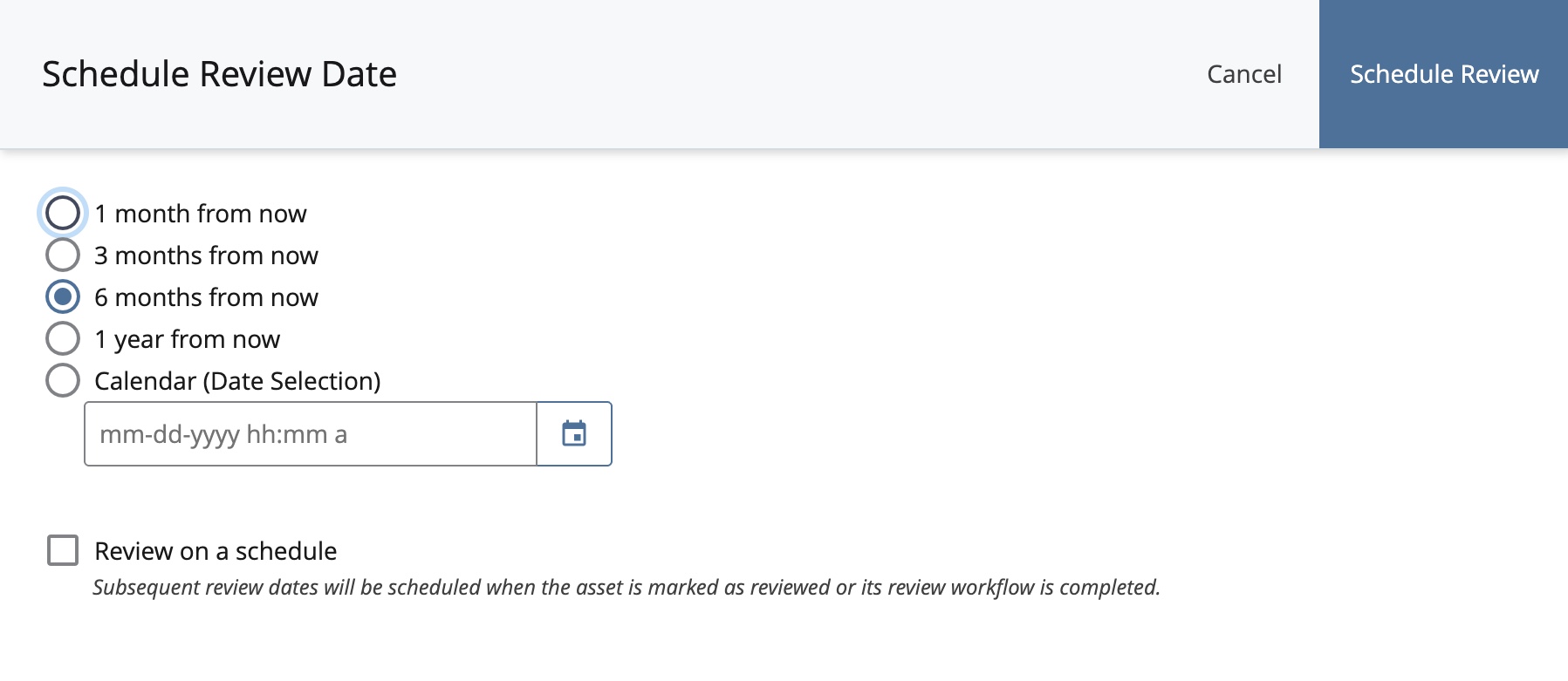
Once scheduled, Cascade will send email reminders seven days ahead of the scheduled date to whomever is listed as the content owner, as well as a notification on the scheduled date.
If you can, get into the habit of creating a review schedule right away when you know the content you're writing could become outdated. Rankings come out once a year? Create a schedule to review your rankings pages annually. Want to make sure your degrees and programs list is up to date for Fall semester? Create a schedule to review your degree list in June.
Regularly scheduling a review of your content is a simple way to stay ahead of the curve and make sure pages are always updated. Keep in mind, there are plenty of tools to assist you in managing your content.