
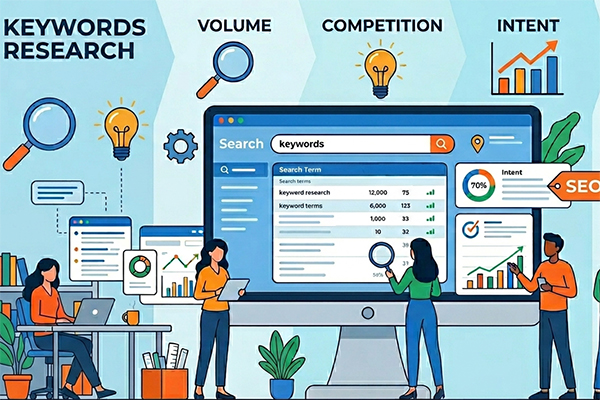
What is keyword research?
Keyword research is the process of identifying the exact words and phrases—known as keywords—your audience uses when searching online. For example, someone looking for a degree program might search "business programs near me."
When you understand what your audience is searching for, you can create content that matches their needs. This helps your website get found by the right people.
You should use keywords in your content, page titles and meta descriptions, but don’t overdo it. Add keywords where they fit naturally. Using too many keywords, known as keyword stuffing, can hurt your rankings in search results.
Good keyword research also helps your content perform better in AI-powered search tools like Google AI Overviews and ChatGPT.
How to do keyword research
The good news: you don't need expensive software to do keyword research well. There are plenty of free tools you may already have access to. Keyword research doesn't have to be complicated.
Follow these simple steps to find the right keywords for your site.
1. Define your goals
Before you start researching keywords, think about what you want to achieve. Are you trying to attract prospective students to a specific program? Rank higher for FIU's undergraduate, graduate or professional development offerings? Drive more traffic to a college or department page?
Your goals will help you focus your efforts and identify the most important keywords to target. Not all keywords are the same. Learn about the different types of keywords and how to use them.
2. Understand your audience
Think about the words and phrases your audience uses when they search online. Your institution might call a program a "Master of Science in Information Technology," but a prospective student might search for "IT master's degree in Miami" or "tech grad program at FIU." Always think about how your audience describes things, not how your institution does.
Here are a few ways to find out how your audience searches:
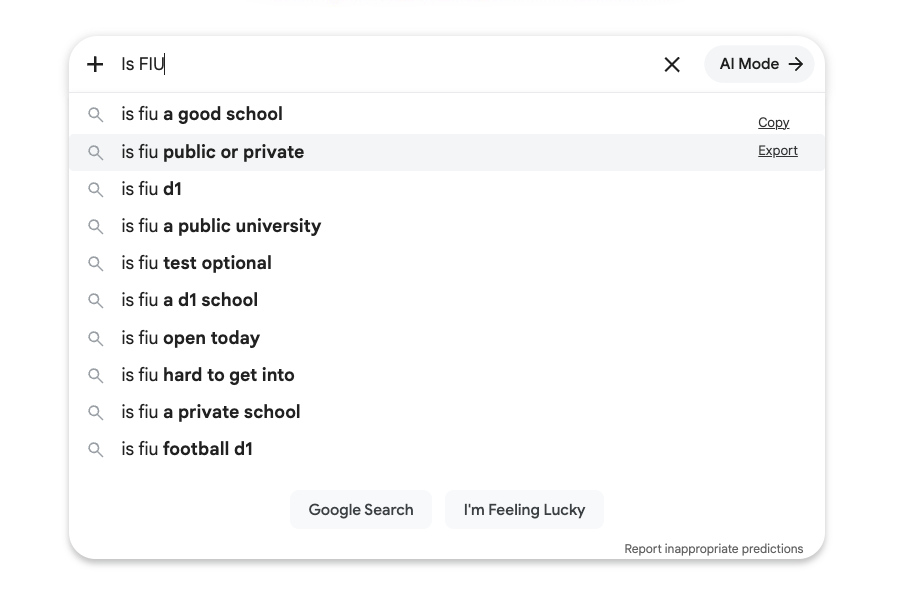
- Start typing a keyword into Google and pay attention to the autocomplete suggestions that appear. These are based on real searches and are a reliable source of keyword ideas.
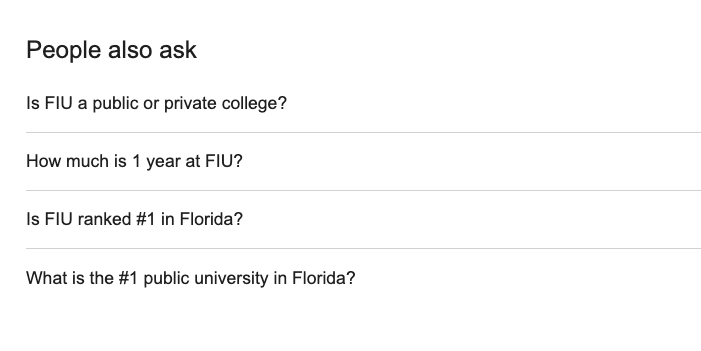
- Check the People Also Ask box in Google search results for questions real users are asking about your topic. These are great candidates for long-tail keywords and FAQ content.
- You can also survey current students and ask how they found your institution and what they searched for. Their answers can reveal keywords you might never have thought of on your own.
3. Build a seed keyword list
Think of a seed keyword list as your foundation. It's a simple starting point, a collection of words and phrases that describe your programs, services and the questions your audience is asking.
Think about three things:
- What do you offer, such as "online MBA" or "cybersecurity certificate"
- What questions do prospective students ask, such as "how long does it take to get a nursing degree?"
- What problems are they trying to solve, such as "affordable degree programs in Miami" or "best business schools near me?
Don't overthink it. Write down every word or phrase that comes to mind. You'll refine the list later.
4. Audit your content
Before researching new keywords, look at what's already working and driving traffic to your site. You may already have access to some of the best free SEO tools: Google Analytics, Google Keyword Planner and Google Search Console.
Google Analytics
Google Analytics shows you which pages on your site are already bringing in visitors from Google.
Insight: Look for your top organic landing pages. These are the pages people find through search, not ads. Study what makes them work. The keywords they target, how the content is structured and what questions they answer can serve as a blueprint for building new pages.
Google Keyword Planner
Google Keyword Planner is a free tool inside Google Ads that suggests keyword ideas based on a word, phrase or website. It also shows how often people search for a keyword each month and how competitive it is, which helps you decide which keywords are worth targeting.
Insight: Start by entering your program names or topics and reviewing the suggested keywords. Pay attention to the competition column. Keywords with lower competition and solid search volume are often good targets.
Google Search Console
Google Search Console shows you the exact search terms people used to find your site, how often your site appeared in results and how often people clicked the search result. This makes it one of the most useful tools for keyword research.
Insight: Pay attention to your CTR. If a page has many impressions but few clicks, your title, page content or meta description may need to be updated.
5. Research your competition
Look at the keywords your competitors are targeting. If another institution ranks highly for a keyword you have not considered, that is a gap worth closing. It can also work the other way. If other sites dominate a keyword, it may be better to look for a less competitive option.
Start by searching your target keywords on Google and note which institutions appear most often in the top results. Look at their page titles, headings and meta descriptions. The language they use can show which keywords they are targeting.
Tools like Semrush and Google Keyword Planner can also help you learn more about your competitors’ keyword strategies.
6. Build your keyword list
Now it's time to pull everything together. Here are the best places to gather keyword ideas:
Free sources: Google Analytics, Google Search Console, Google People Also Ask, Google Related Searches and Google Keyword Planner.
Paid tools: Ahrefs, AlsoAsked, AnswerThePublic, Keywords Everywhere and Semrush. These offer more detailed data on search volume and competition and are worth considering if keyword research becomes a regular part of your work.
Once you have your list, sort your keywords into groups by topic or search intent. This makes it easier to assign the right keywords to the right pages.
7. Balance search volume and competition
Not all keywords are worth targeting. Search volume tells you how many people search for a keyword each month. Competition tells you how many sites are targeting it. The sweet spot is a keyword with solid search volume and low competition.
High-volume keywords like "online degree" get a lot of searches, but large institutions with big budgets dominate them. A more specific keyword like "affordable online business degree in Miami" gets fewer searches but is much easier to rank for. Start with lower-competition keywords and build from there.
Using keywords for AEO and GEO
You may hear terms like AEO and GEO, but optimizing for AI search tools like Google AI Overviews is still SEO. Focus on writing helpful, original content that matches what people are searching for. The steps in these guides will help your content do well in both regular search and AI search results.
- Is SEO still relevant for generative AI search?
- Apply foundational SEO best practices to generative AI search
Good keyword research doesn't have to cost a lot. Define your goals, know your audience and use free tools like Google Search Console and Google Keyword Planner to build your list.
Focus on low-competition keywords, match your content to search intent and make sure every page targets the right audience. Follow these steps and you'll be on your way to ranking higher in search results.