
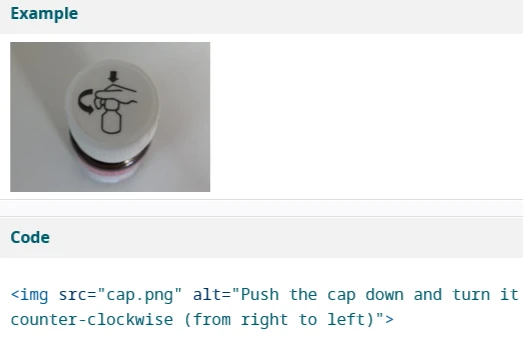
Alt text is a critical part of web accessibility, but sometimes we don't need to include it at all. Figuring out where alt text is appropriate relies on what your image is doing on the page. Is the image purely decorative? Or is it necessary to understanding your page's content?
There are two rules of thumb to keep in mind: They might feel a little contradictory, but we promise they're simple!
- If an image adds context or serves a function, it must include alt text.
- The less alt text, the better.
Why should I care?
Because you have to! Our Digital Communications Standards Policy outlines the minimum requirements every FIU website should meet to remain online, which includes being accessible.
Better accessibility means a better user experience and better SEO. These things improve the FIU web experience and let everyone enjoy our digital spaces, including those who need the most assistance and those who need the least.
Images that add context
Images can add a lot to our content by demonstrating the things we're writing about.
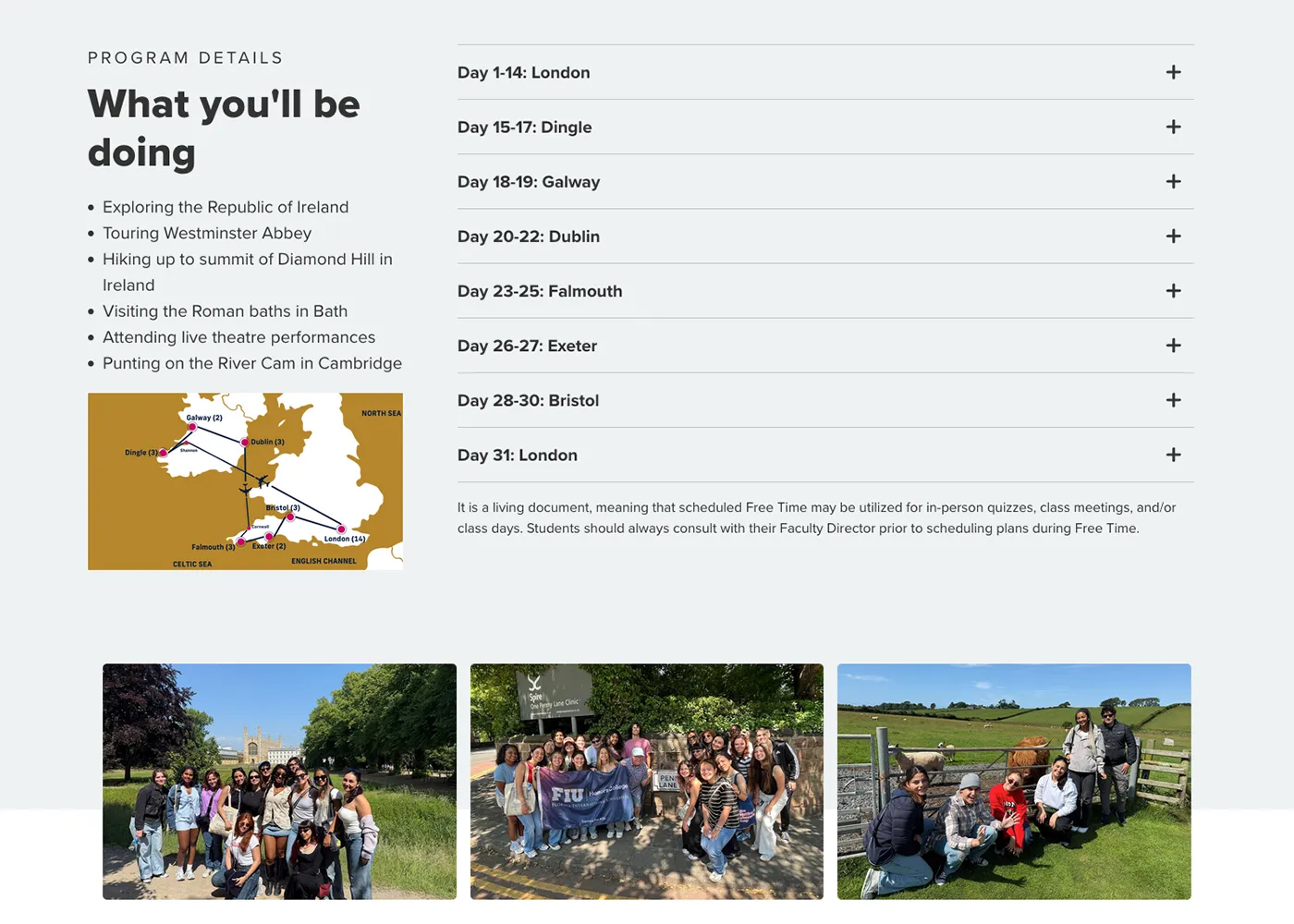
For example, FIU Honors' Study Abroad UK program uses photos of their students abroad to highlight the what they will be doing. The photos are providing important context to the page content and are also meant to be consumed with that content. For example, the image of the map provides a breakdown of locations they'll be visiting according to the itinerary.
Given these images' important contextual purpose, they should include alt text, like "FIU Honors students at Westminster Abbey" or "Map of destinations outlined in itinerary."

As a counter-example, FIU Honors also has a For Employers section, with helpful information on recruiting students. It includes an image, but the image itself is decorative. None of the module's content is modified or enhanced by the image, even if it adds to the site's aesthetic.
In cases like that, where the image is decorative and provides no additional context, alt text is not needed. Make sure to check This is a decorative image, no description needed when inserting decorative images on Cascade—and only when inserting decorative images.
Images that serve a function
Functional images are exactly what they sound like: images that can perform an action for a user. All functional images require alt text to meet accessibility standards. The most common type of functional image is a linked image, one that you can click to navigate to another page.
The image of an ampersand above is linked to one of our old blog posts. Given that it's serving as a link, I have included alt text that reads "FIU Core Blog post about when to use ampersands." A user reading this post with a screen reader would therefore have a full context of what they're clicking.
The less alt text, the better
Despite alt text's critical role, there's often too much of it! Remember, screen readers have a lot of text to read to help users navigate a page. Finding ways to minimize alt text when possible is vital to a fully accessible web experience.
Don't be redundant
Including links within your content can help you avoid repeating words or links, all while improving link visibility for all users. After all, users may not even know your image is linked unless they hover over it with their cursors!
For example, linked images often have captions that contain links to the same location as the image. That means a screen reader will be reading your text or link multiple times.
The image above is a good (or bad) example of redundant alt text. The alt text of the image describes the ampersand blog post, but the link is also in the caption.
In this scenario, you should only be linking the image caption and marking the image itself as decorative. That way, you're maximizing the link's visibility for both screen readers and regular screens, without losing any function in the process.
We end up with less alt text, but more accessibility!
What if I'm not sure?
If you're ever unsure about whether your image is functional enough to require alt text, it's always better to play it safe and include it. The last thing you want is to create accessibility issues for your website!
What's next?
This post only scratches the surface regarding potential uses for alt text. If you want further reading, check out W3C's Accessible Images Tutorial, which breaks down all possible image uses and how you have to plan your alt text around them.