
DigiComm will be updating FIU Webforms to a new version soon. Please be aware we will be conducting maintenance ahead of this update to clean out inactive forms. This process will free up resources, improve loading speeds and make FIU Webforms a more secure platform.
On Wednesday, March 18 at 5 p.m., we will be deleting inactive forms that have:
- Been disabled since at least January 1, 2024; or,
- Have not received entries since January 1, 2024.
Webforms will be unavailable for use during the maintenance window.
If you want to save the entries or structure of an older Webform, the deadline to export your data is Wednesday, March 18 at 4 p.m. (one hour before maintenance).
Please read our blog posts on how to export form entries and how to export form structures if you need more information on either process.
How do I know which forms will be deleted?
You can see a list of forms that meet the deletion criteria by creating a Smart Folder. Follow the directions below:
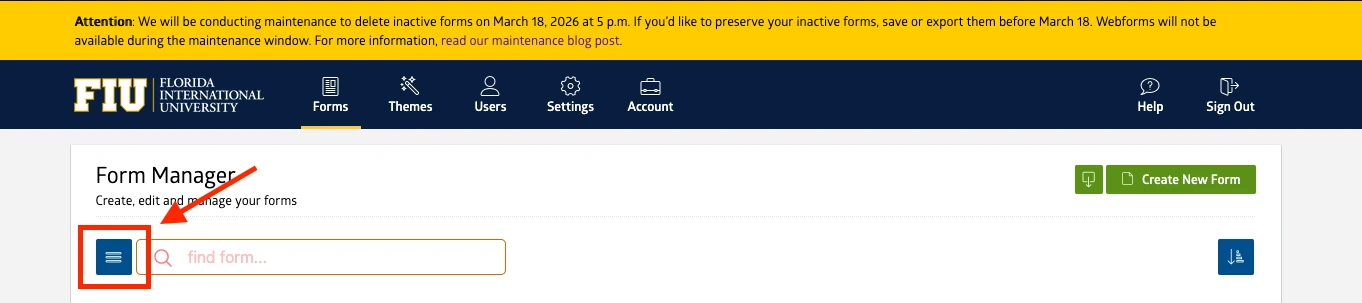
1. On the form listing page, click on the blue hamburger menu icon and then the "New Folder" button.
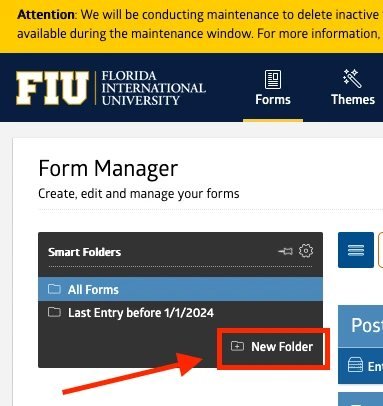
2. Within the newly opened Smart Folders panel, select the New Folder option.
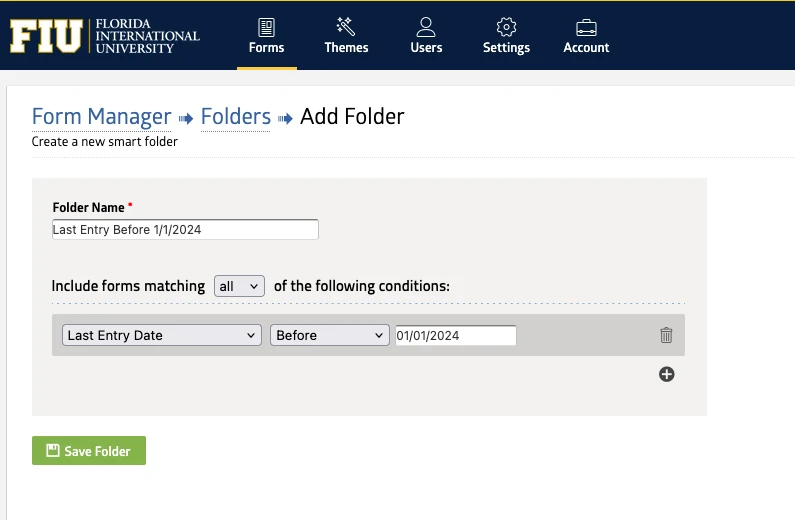
3. Create the filter to match the conditions: Last Entry Date - Before - 01/01/2024.
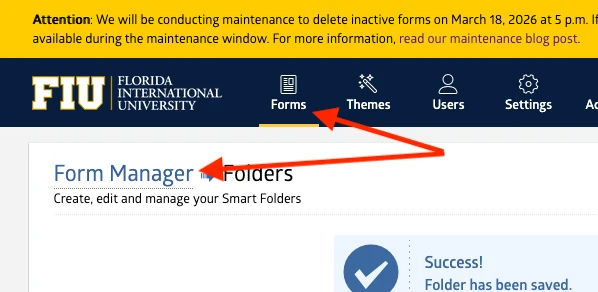
4. After saving the new folder, you will land on the list of Smart Folders. Click on the Forms link in the main navigation or the breadcrumb.
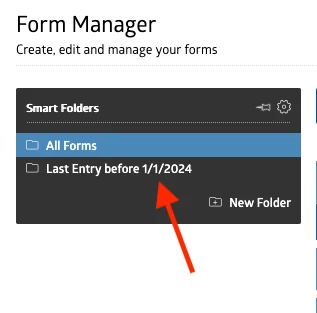
5. Go back to the Smart Folders panel and select your new Smart Folder.
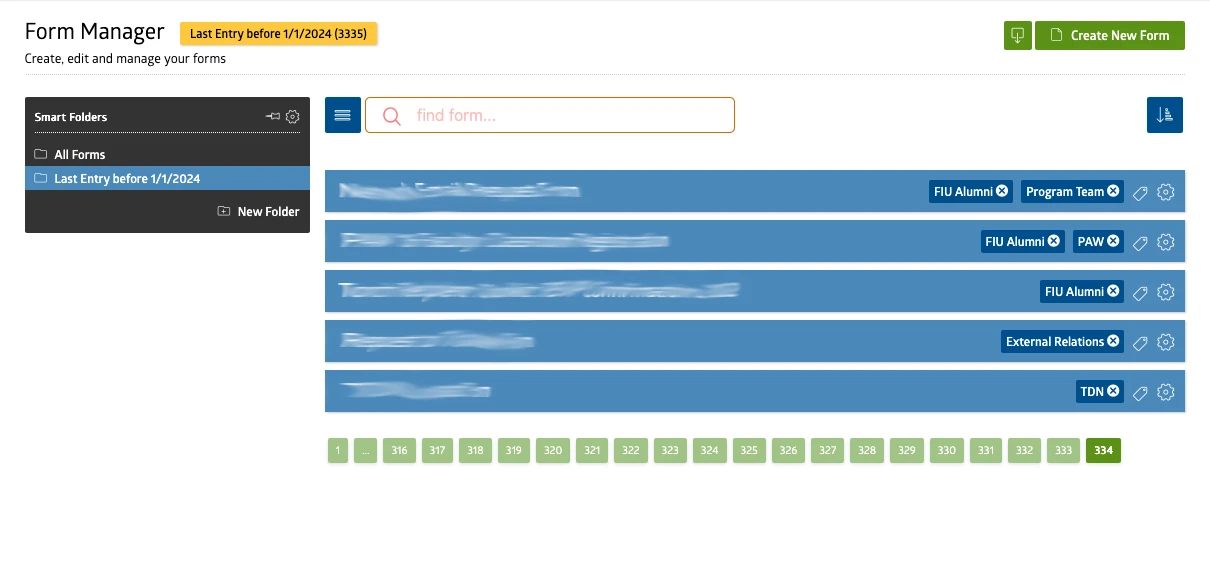
Now, the list of forms will show only the forms that match the filters from your Smart Folder.
If you have an old form that absolutely cannot be deleted, please email digimaint@fiu.edu with a link to the form and the reason it can't be deleted.