
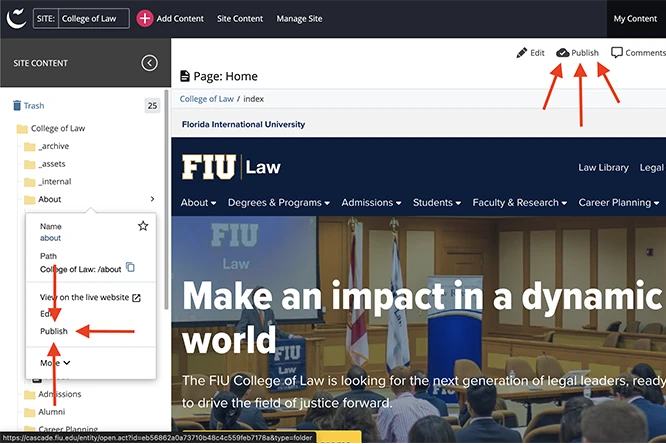
A common issue we hear is that after you create a new page, it doesn't appear in the navigation of the other pages across your site. We can understand the frustration when you keep publishing and nothing seems to change.
Whether you're adding a page or deleting a page, for it to show in the navigation across all pages of your website, you have to republish the entire site.
It might sound like a time-consuming task, but you can quickly publish every page of your site simultaneously by publishing the root folder.
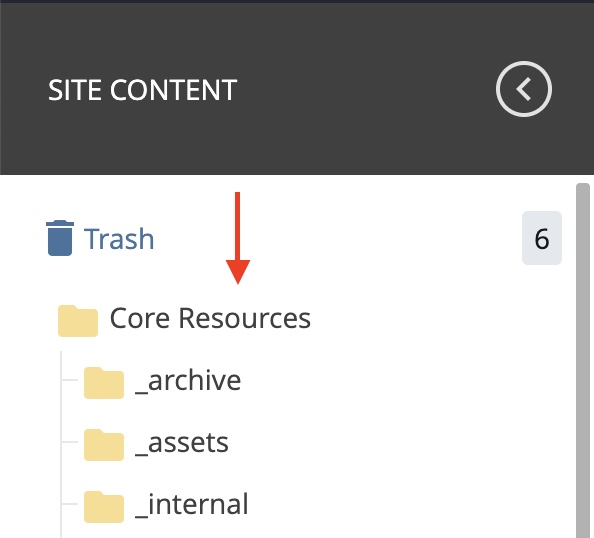
The root folder is the highest level of your site's hierarchy containing every page. When editing in Cascade, it will be the topmost folder you see in the Site Content panel.
Open the root folder, hit Publish, and it will begin publishing each of the subfolders. This process ensures any change to the navigation within one folder is reflected across the entire site.
Be mindful not to do this multiple times in a row. Republishing your entire website can take a few minutes. You can check the progress of your publish job via the Publish Queue.
Publishing your entire site multiple times can cause Cascade to run slowly for everyone using it, as it's a shared resource. If your website is on the larger side—100+ pages—we recommend waiting until off hours to publish.